

Bridge Project
- Genres
- Simulation
- Release
- Mar 28, 2013
- Developer
- Halycon Media GmbH & Co. KG
Lowest price across all offers
from $4.63400 ₽
Offers
The price depends on the platform and the activation region.
- CISCIS region$4.63400 ₽1
About the game
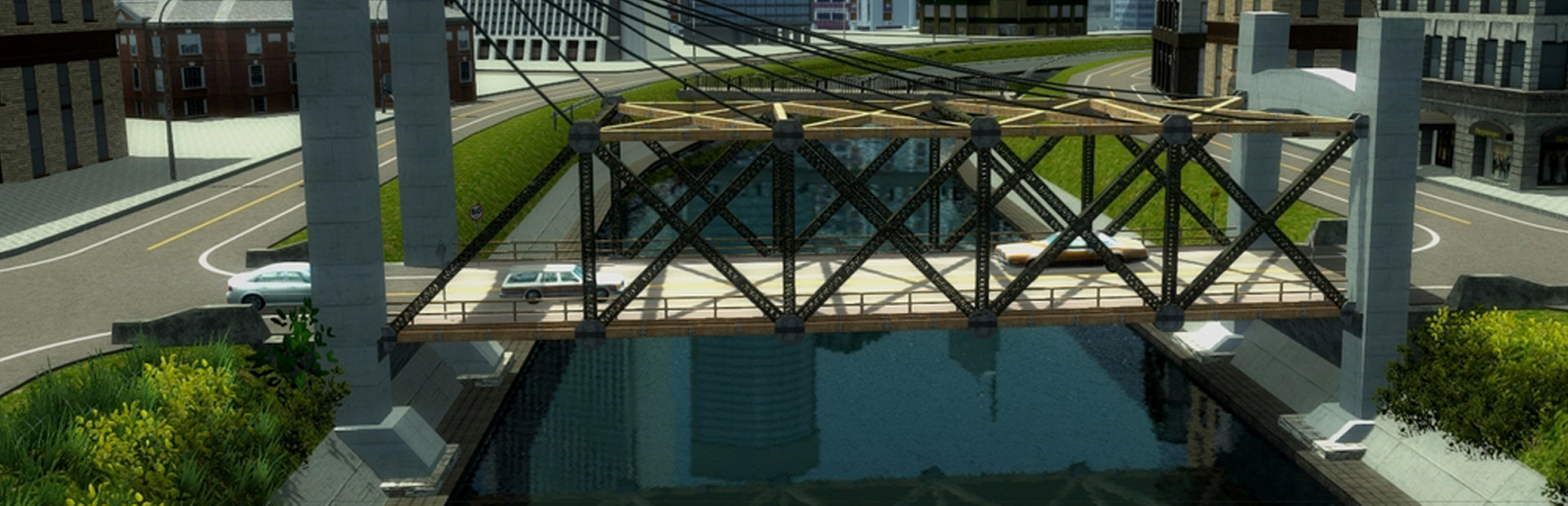
Build A Bridge... and Get Over It!The Bridge Project is the successor to the original and award-winning Bridge Builder simulation, all amateur designers and structural engineers finally have a new challenge on their PC.
Screenshots


System requirements
Minimum
• OS *:Windows XP, Windows Vista, Windows 7 • Processor:Core2Duo 2.4 GHz or comparable • Memory:2048 MB RAM • Graphics:3D graphics card with min. 256 MB (GeForce 8600GT or comparable) • DirectX®:9.0 • Hard Drive:2 GB HD space • Sound:Direct X 9 compatible sound card • Other Requirements:Broadband Internet connection • Additional:Min. screen resolution 1024 x 768 (recommended 1366 x 768 or higher). Internet connection required to use online features.
Recommended
• OS *:Windows 7 • Processor:3.0 GHz • Memory:4096 MB RAM • Graphics:3D graphics card with min. 512 MB (GeForce 9000 series or comparable) • DirectX®:9.0 • Hard Drive:2 GB HD space • Sound:Direct X 9 compatible sound card • Other Requirements:Broadband Internet connection • Additional:Min. screen resolution 1024 x 768 (recommended 1366 x 768 or higher). Internet connection required to use online features.
Languages: English, German, French, Italian, Spanish - Spain, Russian, Portuguese - Portugal, Polish
How to activate
Steam
- Start Steam on your computer and sign in to the account you will play on.
- In the Games menu, choose Activate a Product on Steam. You can also start from Add a Game at the bottom left.
- Go through the introductory screens, review Steam’s terms and paste the complete key without surrounding spaces.
- Finish activation, then find the game in your Library and select Install.
Game details from Steam.