

Bus Simulator 21 Next Stop – Gold Upgrade (PS5)
- Genres
- Simulation
- Release
- May 16, 2023
- Developer
- stillalive studios
Lowest price across all offers
from $14.991,280 ₽
Offers
The price depends on the platform and the activation region.
- Worldwide, except 13 countriesNot for RussiaBus Simulator 21 Next Stop – Gold Upgrade (PS5) (WW, except 13 countries: AM, AZ, BY…)
except 13 countries
Armenia, Azerbaijan, Belarus, Georgia, Kyrgyzstan, Kazakhstan, Moldova, Russia, Tajikistan, Turkmenistan, Türkiye, Ukraine…
$14.991,280 ₽
About the game
Enhance your Bus Simulator 21 experience with the Bus Simulator 21 Next Stop – Gold Upgrade. This bundle includes all previously released premium DLCs for the game. All other free bonus DLCs for the game are still available for free download on the respective digital platforms.
Screenshots


System requirements
Minimum
• Requires a 64-bit processor and operating system • OS: Windows 10 64-Bit • Processor: Intel Core i3-2120 / AMD Phenom II X4 830 or higher • Memory: 8 GB RAM • Graphics: NVIDIA GeForce GTX 760 (2GB VRAM) / AMD Radeon R9 280 (2GB VRAM) or higher • DirectX: Version 12 • Network: Broadband Internet connection • Storage: 18 GB available space
Recommended
• Requires a 64-bit processor and operating system • OS: Windows 10 64-Bit • Processor: Intel Core i5-4440 / AMD FC-8140z or higher • Memory: 8 GB RAM • Graphics: NVIDIA GeForce GTX 1070 (8GB VRAM) / AMD Radeon RX Vega 56 (8GB VRAM) or higher • DirectX: Version 12 • Network: Broadband Internet connection • Storage: 18 GB available space
Languages: English*, French, Italian, German*, Spanish - Spain, Portuguese - Brazil, Japanese, Korean, Polish, Russian, Traditional Chinese, Turkish, Simplified Chinese*, Spanish - Latin America
How to activate
PlayStation
- Visit PlayStation Store and sign in to the account the code is intended for.
- Open your profile at the top of the page and choose Redeem Code.
- Enter the 12-character voucher, continue and complete the on-screen confirmation.
- Check the result: content is added to your account, while wallet vouchers add credit. Download games from your library.
More from the series
 Bus Simulator 16Steamfrom $0.9690 ₽4 offers
 Bus Simulator 21 Next StopSteamfrom $6.44550 ₽4 offersBus Simulator 21 Next Stop (Gold Edition) (Xbox Series X|S)Xboxfrom $28.112,400 ₽Bus Simulator 16 (Gold Edition)Steamfrom $1.60140 ₽3 offers
 Bus Simulator 18Steamfrom $2.87250 ₽3 offers
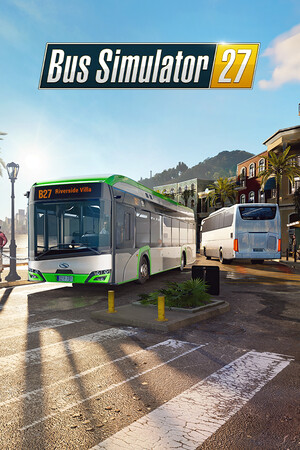 Bus Simulator 27Steamfrom $11.32970 ₽2 offersBus Simulator 27 - Year 1 EditionSteamfrom $17.691,510 ₽2 offersBus Simulator 21 Next Stop (Gold Edition)Steamfrom $18.171,550 ₽
Game details from Steam.