


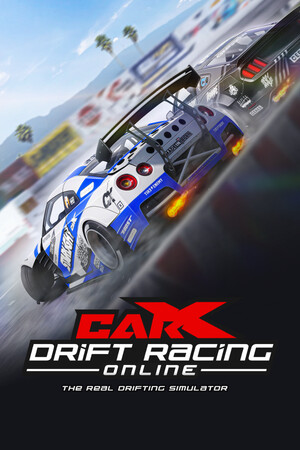
CarX Drift Racing Online 2
- Genres
- Massively Multiplayer · Racing · Simulation · Sports · Early Access
- Release
- May 7, 2026
- Developer
- CarX Technologies, LLC
Lowest price across all offers
from $25.282,160 ₽
Offers
The price depends on the platform and the activation region.
- WorldwideWorks in Russia$25.282,160 ₽1
About the game
A drifting simulator featuring an authentic competition format and a judging system inspired by modern drift championships. Enhanced and updated physics, developed in collaboration with the CarX Motorsport team.
Screenshots


System requirements
Minimum
• Requires a 64-bit processor and operating system • OS: Windows 10 and Windows 11 • Processor: Intel® Core™ i5-8400 or AMD Ryzen 5 1600 • Memory: 16 GB RAM • Graphics: Nvidia GTX 1060 / Radeon RX 580 or similar at least 6 GB • DirectX: Version 11 • Network: Broadband Internet connection • Storage: 14 GB available space • Sound Card: Sound card compatible with DirectX® 9.0с • Additional Notes: SSD storage is highly recommended. The application’s stability is not guaranteed on Intel HD Graphics and AMD HD Radeon on-board graphics cards.
Recommended
• Requires a 64-bit processor and operating system • OS: Windows 10 and Windows 11 • Processor: Intel® Core™ i7-9700 or AMD Ryzen 7 3700X • Memory: 32 GB RAM • Graphics: Nvidia RTX 3060 / Radeon RX 6700 or similar at least 8 GB • DirectX: Version 11 • Network: Broadband Internet connection • Storage: 14 GB available space • Sound Card: Sound card compatible with DirectX® 9.0с • Additional Notes: SSD storage is highly recommended. The application’s stability is not guaranteed on Intel HD Graphics and AMD HD Radeon on-board graphics cards. A racing wheel with FFB support is recommended.
Languages: Russian, English*
How to activate
Steam
- Start Steam on your computer and sign in to the account you will play on.
- In the Games menu, choose Activate a Product on Steam. You can also start from Add a Game at the bottom left.
- Go through the introductory screens, review Steam’s terms and paste the complete key without surrounding spaces.
- Finish activation, then find the game in your Library and select Install.
More from the series
Game details from Steam.