

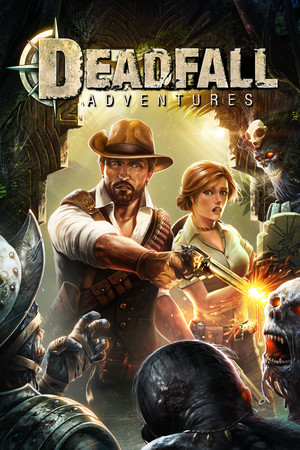
Deadfall Adventures
- Genres
- Action · Adventure
- Release
- Nov 15, 2013
- Developer
- The Farm 51
- Metacritic
Lowest price across all offers
from $2.21190 ₽
Offers
The price depends on the platform and the activation region.
- WorldwideWorks in Russia$2.21190 ₽1
- CISCIS region$4.14360 ₽1
About the game
Deadfall Adventures is an action-driven first-person shooter, spiced up with elements from action-adventure games. Become an adventurer, hunt for treasures, explore unknown regions of the world and rescue the damsel in distress from the clutches of enemies, both earthly and not-so-earthly.
Screenshots


System requirements
Minimum
• OS *:Windows XP SP 3, Windows Vista/7/8 • Processor:Intel Core 2 Duo @ 2 GHz / AMD Athlon 64 X2 equivalent • Memory:2 GB RAM • Graphics:NVIDIA GeForce 9600GT / ATI Radeon HD 3830, 256 MB VRAM, Shader Model 3 support • DirectX®:9.0c • Hard Drive:6.5 GB HD space • Sound:DirectX Compatible • Additional:Initial installation requires one-time internet connection for Steam authentication, Software installations required (included with the game): STEAM Client, Microsoft DirectX, Visual C++ 2010 Redistributable, Visual C++ 2005 SP1 Redistributable
Recommended
• OS *:Windows 7/8 • Processor:2.6 GHz Quad Core processor • Memory:4 GB RAM • Graphics:NVIDIA GeForce GTX 460 / ATI Radeon HD 5850, 1 GB VRAM, Shader Model 3 Support • DirectX®:9.0c • Hard Drive:6.5 GB HD space • Sound:DirectX Compatible • Additional:Initial installation requires one-time internet connection for Steam authentication, Software installations required (included with the game): STEAM Client, Microsoft DirectX, Visual C++ 2010 Redistributable, Visual C++ 2005 SP1 Redistributable
Languages: English*, German*, Polish, French, Russian
How to activate
Steam
- Start Steam on your computer and sign in to the account you will play on.
- In the Games menu, choose Activate a Product on Steam. You can also start from Add a Game at the bottom left.
- Go through the introductory screens, review Steam’s terms and paste the complete key without surrounding spaces.
- Finish activation, then find the game in your Library and select Install.
More from the series
Game details from Steam.