

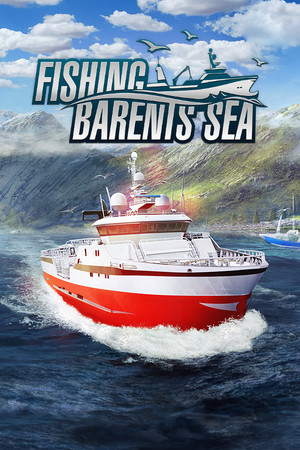
Fishing: Barents Sea Complete Edition (Xbox One)
- Genres
- Simulation
- Release
- Feb 7, 2018
- Developer
- Misc Games
- Metacritic
Lowest price across all offers
from $19.081,630 ₽
Offers
The price depends on the platform and the activation region.
- EuropeNot for Russia$19.081,630 ₽1
About the game
Commercial fishing on the Barents Sea! Take the helm of your very own fishing boat in Fishing: Barents Sea and explore the vastness of the Barents Sea in search for the best fishing zones. Start out small and earn officially licensed Scanmar Equipment and the officially licensed Hermes trawler.
Pictures and description are of the base game on Steam.
Screenshots


System requirements
Minimum
• Requires a 64-bit processor and operating system • OS *: Windows Vista/7/8/10 64-bit • Processor: 3 GHz Dual Core • Memory: 4 GB RAM • Graphics: DirectX 11 compatible graphics card with 1 GB VRAM (Nvidia Geforce GTX 750 or better or comparable AMD card) • DirectX: Version 11 • Network: Broadband Internet connection • Storage: 10 GB available space
Recommended
• Requires a 64-bit processor and operating system • OS: Windows 10 64-bit • Processor: Quad-Core Processor with 3 GHz or better recommended • Memory: 8 GB RAM • Graphics: DirectX 11 compatible graphics card with 3 GB+ RAM (Nvidia Geforce GTX 1060 or better or comparable AMD card) • DirectX: Version 11 • Network: Broadband Internet connection • Storage: 10 GB available space
Languages: English, French, German, Spanish - Spain, Czech, Japanese, Norwegian, Polish, Russian, Italian, Danish, Finnish, Portuguese - Brazil, Simplified Chinese, Swedish, Traditional Chinese, Turkish, Hungarian, Korean
How to activate
Xbox
- Open Microsoft’s redemption page using the button below.
- Sign in with the Microsoft account used on your Xbox. Check the email and profile before continuing.
- Paste the 25-character code and select Next. Check the displayed product or amount.
- Complete the confirmation prompts. Look for games in that account’s library and subscriptions under its services and subscriptions.
More from the series
Game details from Steam.