

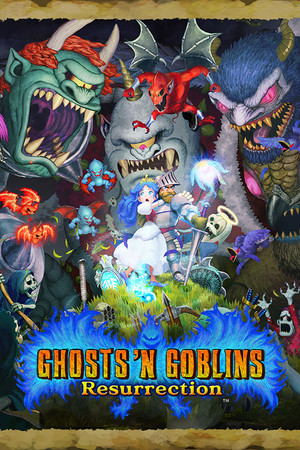
Ghosts 'n Goblins Resurrection
- Genres
- Action
- Release
- May 31, 2021
- Developer
- CAPCOM Co., Ltd.
Lowest price across all offers
from $4.07350 ₽
Offers
The price depends on the platform and the activation region.
- WorldwideWorks in Russia$4.07350 ₽1
- CISCIS region$6.65580 ₽1
- EuropeNot for Russia$7.82680 ₽1
- —Not for Russia$9.70840 ₽1
About the game
Watch as this nostalgic yet completely reimagined storybook world unravels before your very eyes. Taking cues from both Ghosts 'n Goblins and Ghouls 'n Ghosts and giving birth to something entirely new, Resurrection is a title worthy of its name.
Screenshots


System requirements
Minimum
• OS: WINDOWS® 10 (64-BIT Required) • Processor: Intel® Core™ i5-4460 or AMD FX™-6300 equivalent or better • Memory: 4 GB RAM • Graphics: NVIDIA® GeForce® GTX 760 or AMD Radeon™ R7 260x with 2GB Video RAM • DirectX: Version 12 • Storage: 10 GB available space • Additional Notes: Anticipated performance at these specifications is 720p/60FPS. If you don't have enough graphics memory to run the game at your selected texture quality, you must go to Options > Graphics and lower the texture quality or decrease the resolution. An internet connection is required for product activation. You need a keyboard with N-key rollover for co-op play using keyboards. Monitor refresh rate needs to be set at 50Hz or higher.
Recommended
• OS: WINDOWS® 10 (64-BIT Required) • Processor: Intel® Core™ i7-3770 or AMD FX™-9590 equivalent or better • Memory: 8 GB RAM • Graphics: NVIDIA® GeForce® GTX 1060 or AMD Radeon™ RX 480 with 8GB VRAM • DirectX: Version 12 • Storage: 10 GB available space • Additional Notes: Anticipated performance at these specifications is 1080p/60FPS. An internet connection is required for product activation. You need a keyboard with N-key rollover for co-op play using keyboards. Monitor refresh rate needs to be set at 50Hz or higher. *Xbox 360 Controller for Windows / Xbox One Wireless Controller recommended.
Languages: English, French, Italian, German, Spanish - Spain, Simplified Chinese, Traditional Chinese, Japanese
How to activate
Steam
- Start Steam on your computer and sign in to the account you will play on.
- In the Games menu, choose Activate a Product on Steam. You can also start from Add a Game at the bottom left.
- Go through the introductory screens, review Steam’s terms and paste the complete key without surrounding spaces.
- Finish activation, then find the game in your Library and select Install.
More from the series
Game details from Steam.