
Gold Dust
- Genres
- Action · Adventure
- Release
- Nov 6, 2020
- Developer
- NL Studio
Lowest price across all offers
from $0.7470 ₽
Offers
The price depends on the platform and the activation region.
- WorldwideWorks in Russia$0.7470 ₽
About the game
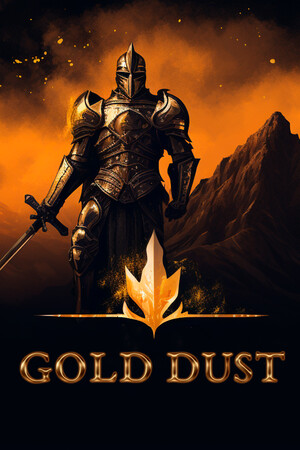
Gold Dust - Hardcore adventure game from the '90s era with sword combat against evil, magical abilities, challenging levels, and high difficulty for hardcore enthusiasts. Uncover the secrets of the potent "Gold Dust" artifact for an exciting gaming experience.
Screenshots


System requirements
Minimum
• OS *: Windows XP\ Vista \ 7 \ 8 or higher • Processor: Dual Core 2.0 GHz • Memory: 1024 MB RAM • Graphics: Intel HD Graphics • DirectX: Version 8.0a • Storage: 50 MB available space • Additional Notes: Keyboard and Mouse
Recommended
• OS: Windows 10 • Processor: Dual Core 3.0 GHz or higher • Memory: 2048 MB RAM • Graphics: Nvidia GTX 1030 • Storage: 50 MB available space
Languages: English*, French*, Italian*, German*, Spanish - Spain*, Arabic*, Bulgarian*, Portuguese - Brazil*, Hungarian*, Vietnamese*, Greek*, Danish*, Spanish - Latin America*, Traditional Chinese*, Simplified Chinese*, Korean*, Dutch*, Norwegian*, Polish*, Portuguese - Portugal*, Romanian*, Russian*, Thai*, Turkish*, Ukrainian*, Finnish*, Czech*, Swedish*, Japanese*, Azerbaijani*, Albanian*, Amharic*, Armenian*, Assamese*, Afrikaans*, Basque*, Belarusian*, Bangla*, Bosnian*, Valencian*, Welsh*, Wolof*, Galician*, Georgian*, Gujarati*, Dari*, Zulu*, Hebrew*, Igbo*, Indonesian*, Irish*, Icelandic*, Yoruba*, Kazakh*, Kannada*, Catalan*, Quechua*, Kinyarwanda*, K'iche'*, Konkani*, Xhosa*, Khmer*, Kyrgyz*, Latvian*, Lithuanian*, Luxembourgish*, Macedonian*, Malay*, Malayalam*, Maltese*, Maori*, Marathi*, Mongolian*, Nepali*, Odia*, Punjabi (Gurmukhi)*, Punjabi (Shahmukhi)*, Persian*, Serbian*, Sotho*, Sinhala*, Sindhi*, Slovak*, Slovenian*, Sorani*, Swahili*, Tajik*, Tamil*, Tatar*, Telugu*, Tigrinya*, Tswana*, Turkmen*, Uzbek*, Uyghur*, Urdu*, Filipino*, Hausa*, Hindi*, Croatian*, Cherokee*, Scots*, Estonian*
How to activate
Steam
- Start Steam on your computer and sign in to the account you will play on.
- In the Games menu, choose Activate a Product on Steam. You can also start from Add a Game at the bottom left.
- Go through the introductory screens, review Steam’s terms and paste the complete key without surrounding spaces.
- Finish activation, then find the game in your Library and select Install.
Game details from Steam.