


If My Heart Had Wings
- Genres
- Adventure · Casual · Simulation
- Release
- Nov 24, 2014
- Developer
- MoeNovel
Lowest price across all offers
from $1.65150 ₽
Offers
The price depends on the platform and the activation region.
- WorldwideWorks in Russia$1.65150 ₽1
About the game
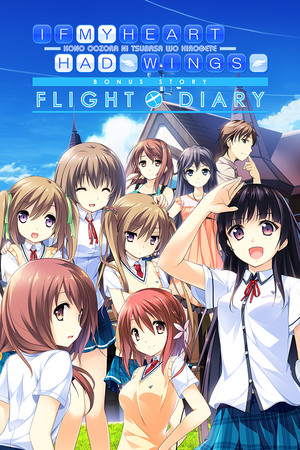
An animated visual novel of a lovely and bittersweet tale of youth, you play as Aoi Minase in this romantic-comedy as he meets various young girls in his hometown and works together with them to revive their school’s glider-flying “Soaring Club” in order to realize their shared dream of flight.
Screenshots


System requirements
Minimum
• OS *: Microsoft Windows XP SP3/Vista/7/8 • Processor: Pentium 4 3.0GHz or higher • Memory: 1 GB RAM • Graphics: Shader Model 2.0 or higher with a maximum texture size of 4096 or higher, DirectX 9 GPU with 8-bit α-texture support, support with limitation or support for textures that are not exponentiations of 2 RADEON X series or higher (Excluding X1200 series) GeForce 6000 series or higher Intel 965 chip set or higher (GMA X3000 and up) VRAM 256MB • Storage: 3.5 GB available space • Additional Notes: An environment that can display at least 1280×720 pixels Recommended Environment: *When using display adaptors that share main memory, the game may not work. *We do not guarantee that this game will run on virtual drives or Virtual PCs (including Apple Boot Camp). *This product uses Ogg Vorbis/Lua/tilua++. The operating environments for this product are the same as for the demo version. Copyright (C) 1994-2008 , PUC-Rio. Copyright (C) 2009 Ariel Manzur. THE OggVorbis SOURCE CODE IS (C) COPYRIGHT 1994-2007 by the Foundation,
Recommended
• OS *: Microsoft Windows Vista/7/8 • Graphics: AMD RADEON HD or higher nVidia GeForce 200 or higher Intel HD graphics or higher *Experience Index 3.7 or higher recommended • Storage: 3.5 GB available space • Additional Notes: *Netbooks and nettops that use atom are not supported. *When using display adaptors that share main memory, the game may not work. *We do not guarantee that this game will run on virtual drives or Virtual PCs (including Apple Boot Camp). *This product uses Ogg Vorbis/Lua/tilua++.
Languages: English, Simplified Chinese
How to activate
Steam
- Start Steam on your computer and sign in to the account you will play on.
- In the Games menu, choose Activate a Product on Steam. You can also start from Add a Game at the bottom left.
- Go through the introductory screens, review Steam’s terms and paste the complete key without surrounding spaces.
- Finish activation, then find the game in your Library and select Install.
More from the series
Game details from Steam.