

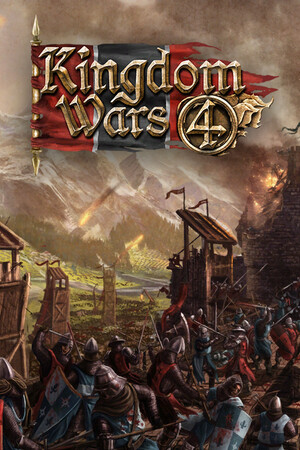
Kingdom Wars 4
- Genres
- Action · Indie · RPG · Simulation · Strategy
- Release
- Oct 22, 2021
- Developer
- Reverie World Studios
Lowest price across all offers
from $1.06100 ₽
Offers
The price depends on the platform and the activation region.
- WorldwideWorks in Russia$1.06100 ₽1
About the game
It's 1347, the time of the Hundred Years' War. In this historical grand strategy and RTS hybrid you play as one of 200 minor lords across medieval Europe, Africa or Middle East. Rise up to take over your Kingdom and be crowned, then fight to preserve your empire as Black Death descends on Europe.
Screenshots


System requirements
Minimum
• OS *: Windows Vista • Processor: Intel Core i7 Processor or equivalent • Memory: 6 GB RAM • Graphics: NVIDIA GeForce GTX 960 / Radeon RX 480 • DirectX: Version 11 • Storage: 5 GB available space • Sound Card: DirectX Compatible • Additional Notes: Software installations required (included with the game) include Steam Client, Visual C++ 2008 Redistributable, DirectX and Microsoft .NET 4. Internet connection required to play the multiplayer portion of the game.
Recommended
• OS: Windows 10 • Processor: Intel Core i7 Processor or equivalent • Memory: 8 GB RAM • Graphics: NVIDIA GeForce GTX 980 / Radeon RX 490 • DirectX: Version 11 • Storage: 5 GB available space • Sound Card: DirectX Compatible • Additional Notes: Software installations required (included with the game) include Steam Client, Visual C++ 2008 Redistributable, DirectX and Microsoft .NET 4. Internet connection required to play the multiplayer portion of the game.
Languages: English*, German, Simplified Chinese, French, Italian, Spanish - Spain, Portuguese - Portugal, Portuguese - Brazil
How to activate
Steam
- Start Steam on your computer and sign in to the account you will play on.
- In the Games menu, choose Activate a Product on Steam. You can also start from Add a Game at the bottom left.
- Go through the introductory screens, review Steam’s terms and paste the complete key without surrounding spaces.
- Finish activation, then find the game in your Library and select Install.
More from the series
Game details from Steam.