

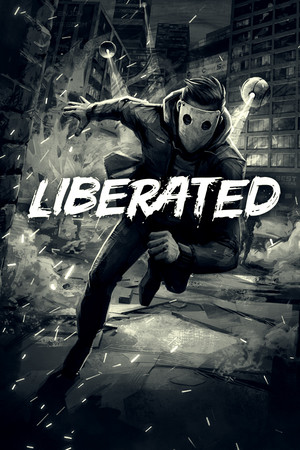
LIBERATED
- Genres
- Action · Adventure · Indie
- Release
- Jul 30, 2020
- Developer
- Atomic Wolf, L.INC
Lowest price across all offers
from $0.4950 ₽
Offers
The price depends on the platform and the activation region.
- WorldwideWorks in Russia$2.63230 ₽1
- CISCIS region$6.08520 ₽1
About the game
Lock, load, and get ready for a new kind of action adventure! Immerse yourself in a noir rain-soaked city inside a paperback comic. Uncover a cyberpunk conspiracy against human rights. THIS is the revolution.
Screenshots


System requirements
Minimum
• Requires a 64-bit processor and operating system • OS *: Windows 7/8/10 64-bit • Processor: AMD Ryzen 3 or Intel Core i3 (3.0 GHz or higher) • Memory: 6 GB RAM • Graphics: NVIDIA GeForce GTX 660, AMD Radeon R7 370 or equivalent with 2 GB of VRAM • DirectX: Version 11 • Storage: 6 GB available space • Sound Card: DirectX compatible • Additional Notes: The game requires a 64-bit CPU and Operating System.
Recommended
• Requires a 64-bit processor and operating system • OS *: Windows 7/8/10 64-bit • Processor: AMD Ryzen 5 or Intel Core i5 (3.2 GHz or higher) • Memory: 8 GB RAM • Graphics: NVIDIA GeForce GTX 970, AMD Radeon RX 580 or equivalent with 4 GB of VRAM • DirectX: Version 11 • Storage: 6 GB available space • Sound Card: DirectX compatible • Additional Notes: The game requires a 64-bit CPU and Operating System.
Languages: English*, French, German, Spanish - Spain, Polish, Russian, Simplified Chinese, Portuguese - Brazil, Japanese
How to activate
Steam
- Start Steam on your computer and sign in to the account you will play on.
- In the Games menu, choose Activate a Product on Steam. You can also start from Add a Game at the bottom left.
- Go through the introductory screens, review Steam’s terms and paste the complete key without surrounding spaces.
- Finish activation, then find the game in your Library and select Install.
GOG
- Follow the GOG Redeem link below and sign in.
- Copy the key from your order into the redemption field, without extra spaces.
- Continue, check the displayed game and confirm adding it to your account.
- Download it from your GOG library or GOG GALAXY using the same account.
Game details from Steam.