

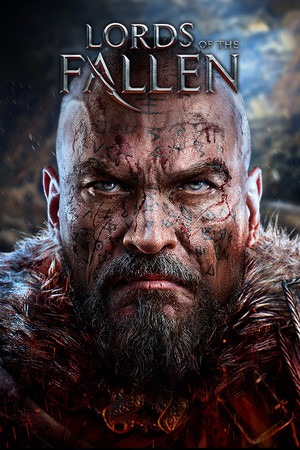
Lords Of The Fallen™ 2014
- Genres
- Action · RPG
- Release
- Oct 28, 2014
- Developer
- CI Games, Deck 13
- Metacritic
Lowest price across all offers
from $1.85160 ₽
Offers
The price depends on the platform and the activation region.
- WorldwideWorks in RussiaLords of the Fallen (2014)$1.85160 ₽1
- CISCIS regionLords of the Fallen (2014)$3.59310 ₽1
About the game
Plunge into a dark fantasy Action-RPG, harnessing powerful magic alongside a satisfying combat system. When the tyrannical god, Adyr, invades the human realm seeking vengeance for his imprisonment, humanity calls upon an unlikely defender… a convicted sinner named Harkyn.
Screenshots


System requirements
Minimum
• OS *: Windows Vista (SP2), Windows 7 (SP1) or Windows 8 (only 64 bit OSs • Processor: Intel Core 2 Quad Q8400 @ 2.66Ghz or AMD Phenom II X4 940 @ 3.0Ghz • Memory: 6 GB RAM • Graphics: GeForce GTX 460 or better • DirectX: Version 11 • Storage: 25 GB available space • Sound Card: DirectX 9.0c Compatible Sound Card with Latest Drivers
Recommended
• OS *: Windows Vista (SP2), Windows 7 (SP1) or Windows 8 (only 64 bit OSs • Processor: Intel Core i7-3770 @3.5 GHz or AMD FX-8350 X8 @ 4 GHz • Memory: 8 GB RAM • Graphics: GeForce GTX 560 ti or better • DirectX: Version 11 • Storage: 25 GB available space • Sound Card: DirectX 9.0c Compatible Sound Card with Latest Drivers
Languages: English*, French*, Italian, German*, Spanish - Spain, Czech, Japanese, Polish, Portuguese - Portugal, Portuguese - Brazil, Russian, Simplified Chinese, Korean
How to activate
Steam
- Start Steam on your computer and sign in to the account you will play on.
- In the Games menu, choose Activate a Product on Steam. You can also start from Add a Game at the bottom left.
- Go through the introductory screens, review Steam’s terms and paste the complete key without surrounding spaces.
- Finish activation, then find the game in your Library and select Install.
Xbox
- Open Microsoft’s redemption page using the button below.
- Sign in with the Microsoft account used on your Xbox. Check the email and profile before continuing.
- Paste the 25-character code and select Next. Check the displayed product or amount.
- Complete the confirmation prompts. Look for games in that account’s library and subscriptions under its services and subscriptions.
More from the series
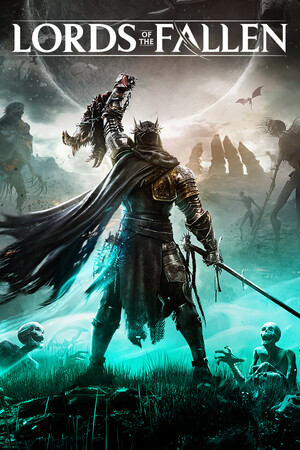 Lords Of The Fallen Game of the Year EditionSteamfrom $2.97260 ₽2 offersРФ ✓The Lords of the Fallen | Deluxe EditionSteamfrom $15.081,300 ₽2 offersРФ ✓Lords of the Fallen (Limited Edition)Steamfrom $5.52480 ₽Lords of the FallenSteamfrom $9.25800 ₽
Game details from Steam.