

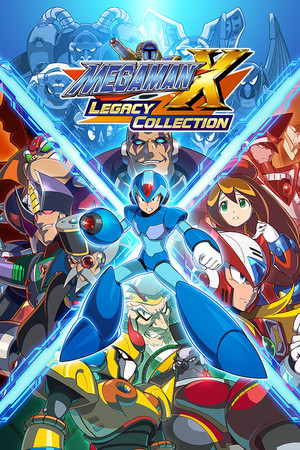
Mega Man X Legacy Collection
- Genres
- Action
- Release
- Jul 24, 2018
- Developer
- CAPCOM CO., LTD
Lowest price across all offers
from $5.36470 ₽
Offers
The price depends on the platform and the activation region.
- CISCIS regionMega Man™ X Legacy Collection$5.36470 ₽1
- EuropeNot for Russia$6.20540 ₽1
- —Not for Russia$7.84680 ₽1
- WorldwideWorks in Russia$9.86850 ₽1
About the game
Mega Man X Legacy Collection includes the legendary 16-bit titles and the series’ exciting foray into the 32-bit era: Mega Man X, Mega Man X2, Mega Man X3, and Mega Man X4. Test your skills in the new X Challenge mode, which pits players against two deadly bosses at once.
Screenshots


System requirements
Minimum
• Requires a 64-bit processor and operating system • OS: Windows 11 • Processor: Intel Core i3-550 / AMD equivalent or better • Memory: 2 GB RAM • Graphics: NVIDIA GeForce GTX 660 / ATI Radeon HD 7850 • DirectX: Version 12 • Storage: 7 GB available space • Sound Card: DirectSound (DirectX® 10.0c or better) • Additional Notes: *Recommended Controller Xbox 360 Controller (Windows 7/8/8.1) Xbox One Wireless Controller (Windows 10) *Internet connection required for game activation.*DirectX9.0c is also required, along with the DirectX Version mentioned above.*For users on Windows 11, please ensure that your device also meets the Windows 11 system requirements.
Recommended
• Requires a 64-bit processor and operating system • OS: Windows 11 • Processor: Intel Core i5-3570 / AMD Ryzen 7 2700 • Memory: 4 GB RAM • Graphics: NVIDIA GeForce GTX 760 / AMD Radeon RX 570 • DirectX: Version 12 • Storage: 7 GB available space • Sound Card: DirectSound (DirectX® 10.0c or better) • Additional Notes: *Recommended Controller Xbox 360 Controller (Windows 7/8/8.1) Xbox One Wireless Controller (Windows 10) *Internet connection required for game activation.*DirectX9.0c is also required, along with the DirectX Version mentioned above.*For users on Windows 11, please ensure that your device also meets the Windows 11 system requirements.
Languages: English*, French, Italian, German, Spanish - Spain, Japanese*, Traditional Chinese
How to activate
Steam
- Start Steam on your computer and sign in to the account you will play on.
- In the Games menu, choose Activate a Product on Steam. You can also start from Add a Game at the bottom left.
- Go through the introductory screens, review Steam’s terms and paste the complete key without surrounding spaces.
- Finish activation, then find the game in your Library and select Install.
More from the series
 РФ ✓Mega Man X Legacy Collection 2SteamNintendofrom $5.36470 ₽5 offers
 СНГMega Man Star Force Legacy CollectionSteamfrom $20.051,730 ₽3 offers
 РФ ✓Mega Man 11Steamfrom $6.49560 ₽4 offers
 РФ ✓Mega Man Legacy CollectionSteamfrom $2.84250 ₽4 offers
 РФ ✓Mega Man Zero/ZX Legacy CollectionSteamfrom $6.63570 ₽4 offersMega Man Zero/ZX Legacy Collection (Xbox One)Xboxfrom $7.43640 ₽2 offers
 РФ ✓Mega Man Legacy Collection 2Steamfrom $5.36470 ₽3 offersMega Man Legacy Collection 2 (Xbox One)Xboxfrom $10.73930 ₽
Game details from Steam.