

Monster Hunter World: Iceborne - Master Edition (Xbox One)
- Genres
- Action
- Release
- Jan 9, 2020
- Developer
- CAPCOM Co., Ltd.
- Metacritic
Lowest price across all offers
from $11.25960 ₽
Offers
The price depends on the platform and the activation region.
- EuropeNot for Russia$11.25960 ₽1
About the game
“Explore the New World… and Beyond!“ Monster Hunter: World’s adventures reach new heights in “Monster Hunter World: Iceborne.” With new monsters, new locales, new quests, new weapon combos, and so much more, Iceborne expands the possibilities of Monster Hunter: World’s vast, breathtaking universe.
Pictures and description are of the base game on Steam.
Screenshots


System requirements
Minimum
• OS *: Windows® 7, 8, 8.1, 10 (64-bit required) • Processor: Intel® Core™ i5 4460 or Core™ i3 9100F / AMD FX™-6300 or Ryzen™ 3 3200G • Memory: 8 GB RAM • Graphics: NVIDIA®GeForce®GTX 760 or GTX1050 or AMD Radeon™ R7 260x or RX 560 • DirectX: Version 11 • Network: Broadband Internet connection • Storage: 52 GB available space • Sound Card: DirectSound (DirectX® 9.0c or later) • Additional Notes: - These specs allow for the game to be played in 1080p/30fps with graphics settings at "Low". - 64-bit processor and operating system are required.
Recommended
• OS *: Windows® 7, 8, 8.1, 10 (64-bit required) • Processor: Intel® Core™ i7 3770 or Core™ i3 8350 or Core™ i3 9350F / AMD Ryzen™ 5 1500X or Ryzen™ 5 3400G • Memory: 8 GB RAM • Graphics: NVIDIA® GeForce® GTX 1060 (VRAM 3GB) or GTX 1650 / AMD Radeon™ RX 480 or RX 570 • DirectX: Version 11 • Network: Broadband Internet connection • Storage: 52 GB available space • Sound Card: DirectSound (DirectX® 9.0c or later) • Additional Notes: - These specs allow for the game to be played in 1080p/30fps with graphics settings at "High". - 64-bit processor and operating system are required. - Windows 10 (Version 1809 or later) and a 4GB VRAM GPU (graphics board or video card) are required for DirectX 12 API.
Languages: English*, French*, Italian*, German*, Spanish - Spain*, Arabic, Portuguese - Brazil, Polish, Traditional Chinese, Japanese*, Korean, Russian, Simplified Chinese, Spanish - Latin America
How to activate
Xbox
- Open Microsoft’s redemption page using the button below.
- Sign in with the Microsoft account used on your Xbox. Check the email and profile before continuing.
- Paste the 25-character code and select Next. Check the displayed product or amount.
- Complete the confirmation prompts. Look for games in that account’s library and subscriptions under its services and subscriptions.
More from the series
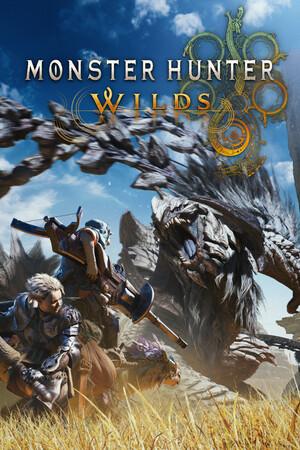 РФ ✓Monster Hunter Wilds (Xbox Series X|S)Xboxfrom $40.113,420 ₽4 offers
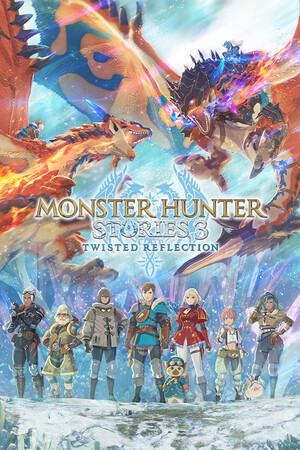 РФ ✓Monster Hunter Stories 3: Twisted Reflection (Xbox Series X|S)Xboxfrom $85.967,330 ₽4 offersРФ ✓Monster Hunter Stories 3: Twisted ReflectionSteamXboxfrom $32.632,780 ₽5 offersРФ ✓Monster Hunter Wilds Premium Deluxe Edition (Xbox Series X|S)Xboxfrom $106.639,090 ₽3 offersРФ ✓Monster Hunter Wilds Deluxe Edition (Xbox Series X|S)Xboxfrom $76.396,510 ₽3 offers
 Monster Hunter Rise (Deluxe Edition) (Xbox Series X|S)Xboxfrom $24.482,090 ₽3 offers
 РФ ✓Monster Hunter Stories (Xbox One)Xboxfrom $13.271,140 ₽3 offers
 РФ ✓Monster Hunter Stories 2: Wings of Ruin (Xbox One)Xboxfrom $28.582,440 ₽3 offers
Game details from Steam.